Cara Mengetahui Email Facebook Teman yang diSembunyikan

Sebagian orang banyak yang menyembunyikan emailnya dari publik di info profil facebook, tujuannya untuk privacy atau alasan keamanan dari peretasan/Hacker, Salah satu contohnya facebook saya seperti gambar disamping. Di informasi Kontak tersebut biasanya tercantum alamat email, namun karena saya privacykan atau saya sembunyikan jadi gak muncul kecuali kita sendiri yang melihatnya. Nah mungkin ada yang ingin tau alamat email dari facebook orang tertentu gak tau alasan dan tujuannya untuk apa. Yang jelas saya hanya membantu sekedar untuk mengetahuinya emailnya saja.lihat gambar email yang di sembunyikan dibawah ini:


Langkah-Langkahnya sebagai berikut;
1.Buka facebook profil target

2. Buka link berikut : https://www.facebook.com/recover.php (Log Out dulu facebook kalian yang lagi login atau buka pakai browser lain).


3. Muncul 3 pilihan, kita pilih "Enter Your Facebook Username" dan masukkan username atau id prodil facebook target trus klik "search", lihat gambar dibawah ini;


4. Akan muncul top up "Security Check", masukkan aja kode yang muncul.

5. Setelah sukses melewati security check, akan muncul tampilan reset password seperti gambar berikut.

6. Ketika yang muncul seperti gambar diatas (no.5), maka tinggal lihat source codenya dengan cara;
1. Klik kanan(pada tampilan reset), klik "view page sorce"
atau
2. Tekan tombol "CTRL+U"


Muncullah source kodenya seperti berikut, yang didalam kode tersebut terdapat email target


7. Seperti gambar diatas, muncul emailnya seperti ini: 
            {"email":["ujie_caprone\uoo40ymail.com"]}
Tinggal gantikan aja ujie_caprone\uoo40ymail.com jadi ujie_caprone@ymail.com


"PERGUNAKAN ILMU UNTUK MEMBANTU BUKAN UNTUK MERUSAK"...

Thank's to: http://samsul3045.blogspot.com
readmore »»  

Learn How To HACK FACEBOOK Account (Versi English)

Facebook has evolved into one of the hottest social networking website in the world. Here is a simple tutorial that you can use to hack your friend's facebook password. Here i'm writting on hacking Facebbok password using Facebook Phisher.


In the field of computer security, phishing is the criminally fraudulent process of attempting to acquire sensitive information such as usernames, passwords and credit card details by masquerading as a trustworthy entity in an electronic communication. Communications purporting to be from popular social web sites, auction sites, online payment processors or IT administrators are commonly used to lure the unsuspecting public.


Facebook Phisher

Please Note: Phishing is legally offensive. I am not responsible for any action done by you.


Hacking Facebook password:


Phishing is the most commonly used method to hack Facebook. The most widely used technique in phishing is the use of Fake Login Pages, also known as spoofed pages. These fake login pages resemble the original login pages of sites likeYahoo , Gmail, MySpace etc. The victim is fooled to believe the fake facebook page to be the real one and enter his/her password. But once the user attempts to login through these pages, his/her facebook login details are stolen away. I recommend the use of Phishing to hack facebook account since it is the easiest one.


1. First of all download Facebook Phisher


2. The downloaded file contains:
  • Index.html
  • write.php
3. Upload both files to any of these free webhost sites:
4. Now, send this phisher link (index.html link) to your victim and make him login to his Facebook account using your sent Phisher.


5. Once he logs in to his Facebook account using Phisher, all his typed Facebook id and password is stored in "passes.txt". This file is created in your webhost control panel as shown.


If you dont get passes.txt, try refreshing your page.Once you get passes.txt, you get Facebook password and can easily use it for hacking Facebook account.


6. Now, open passes.txt to get hacked Facebook id and password as shown.


Hope this tutorial was useful for you.
readmore »»  

STATUS PALSU vs STATUS BIRU

Dengan menjamurnya (boomingnya) lagu STATUS PALSU from Ayu Ting-Ting, maka ane sengaja memposting artikel dengan judul STATUS BIRU from AAN DARCO . Bagamainakah cerita selanjutnya, Langsung saja kita ke KTP.... emmm salah, langsung saja qta ke TKP....
Untuk membuat STATUS PALSU/STATUS BIRU, perhatikan Code di bawah ini:

Untuk Mengetahui ID Profil; coba ketik http://graph/facebook.com/username ==> username ganti dg nama sendiri
Contoh:
http://graph/facebook.com/username

Hasilnya kurang lebih seperti ini:

 
bila anda ingin,menulis dengan kata-kata sendiri untuk dijadikan STATUS BIRU, cukup mudah.. caranya,
1.      Masuk ke info FB Anda ( profile )
2.      Di situ terdapat banyak info dari mulai Work and Education, Sport, Activities dll
3.      Anda bisa pilih salah satu dari keterangan Info tadi.
Misalkan Ane pilih Activities and Interest, maka yg harus ane lakukan ialah: Klik Edit


4.      Setelah keterangan Activities and Interest tampil, maka akan mucu 5 kotak.
5.      Yang harus dilakukan selanjutnya, silakan tambahkan kata-kata pada pilihan Activities atau Interest, di sini ane ambil contoh pada kata interest, ane tambahkan kata-kata sendiri “I Love LAPPIS forever” kemudian tekan ENTER.

 
6.      Setelah anda melakukan langkah yang ke-5, maka otmatis server FB akan mencari halaman/ kata-kata yg anda buat tadi,..dan pasti jawabannya tidak ada, biarkan saja pesan itu.. dan SAVE CHANGES.
7.      Nah, kalau sudah melakukan 6 tahap tadi.. maka anda tinggal cari ID halaman dengan meng-klik kata “I LOVE LAPPIS Forever”pada info.
Gimana mudah kan....????
(Salam Hacker Not Cracker)
readmore »»  

Bikin File Hosting Sendiri

Sekali lagi saya sarankan tutorial ini untuk anda yang sudah pernah atau terbiasa membuat blog atau website dengan hosting sendiri atau (SelfHost) dan juga sedikit pengetahuan tentang PHP-MySql.
Seperti pada artikel sebelumnya sudah saya jelaskan apa saja yang harus dibutuhkan untuk membuat web berbasis layanan filehosting, sekarang saya anggap anda sudah memenuhi ke-3 (ketiga syarat) yang saya sebutkan pada artikel sebelumnya, nah sekarang saatnya menginstall Script atau software Script Kleeja v.1.0.0RC6 tersebut ke host berikut langkah-langkahnya:

1. Setting terlebih dahulu Nameserver domain anda sesui dengan namesarver yang dimiliki hosting anda.

2. Extract Script Kleeja v.1.0.0.rar yang anda download ke dalam bentuk folder, jika belum download masuk kesini

3. Buatlah MySQL database pada CPnel hosting anda

4. Sekarang uploadlah semua isi folder Kleeja v.1.0.0 kedalam root directory anda yaitu public_html. dan pastikan semua file anda benar-benar terupload dengan sempurna.

5. Akseslah domain anda melalui address bar browser anda misal : www.domainanda.com/install maka anda akan diarahkan otomatis ke halaman Kleeja Installer.

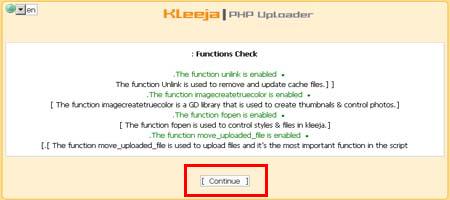
6. Dan seharusnya muncul seperti gambar dibawah ini

7. Klik [ Next ]
8. Kemudian klik New Installation

9. Silahkan baca dulu persetujuannya (penting), jika sudah beri tanda Ceklist pada [ I Agree ] dan dilanjutkan mengklik [ Continue>> ]

10. Anda akan diarahkan ke Function Check, Kemudian klik [ Continue ] "teks berwarna hijau berati tidak ada masalah"

11. Pada bagian ini anda harus memasukkan  "isi harus sesuai dengan MySQL database yang telah anda buat pada langkah 3" perhatikan gambar dibawah
Dibawah ini hanya Contoh milik saya yang saya host di 000webhost.com, silahkan isikan sesuai dengan punya anda :
Host : mysql2.000webhost.com

Name : b2630446_kleeja
User name : b2630446_kleeja
Password : 000kleeja000
Database prefix : biarkan saja


Patch script : (biarkan saja)  ini digunakan apabila anda ingin mengintegrasikan kleeja dengan forum 
Jika sudah Klik [ Continue ]

12. Muncul halaman seperti dibawah ini klik [ Continue ]

13. Jika muncul seperti dibawah ini dengan tulisan [ Everything seems to be OK .... continue ] berwarna hijau berarti anda sebentar lagi berhasil  klik [ Continue ] 

13. Pada bagian ini yaitu membuat informasi tentang website anda, mulai dari Title email Admin panel dan lain-lain, ini penting dan perlu untuk anda catat!

Site Info
Website title   : Titel website anda
Website URL    : URL website anda contoh www.domai-nanda.com
Website Emai : email_anda@yahoo.com

Admin Info
Username    : Username "nama pengguna"
Password     : password "kata sandi"
Password Again   : ketik ulang password "ketik ulang kata sandi"
Email : email_anda@gmail.com

Bagian ini adalah hal yang terpenting karena ini yang akan anda gunakan untuk masuk ke Control Panel Admin website anda untuk mengatur semua yang anda butuhkan berkaitan dengan website anda, mulai dari settingan dasar sampai member anda, sebaiknya dicatat.

14. Jika berhasil muncul halaman seperti gambar dibawah ini Klik [ Continue ] !

15. Nah jika anda sukses menginstall kleeja anda akan melihat halaman seperti dibawah ini :

16. Sekarang hapuslah folder Install direktori

17. Jika folder Install direktori sudah dihapus Silahkan Klik Control Panel dan login menggunakan Username dan password yang anda buat pada langkah 13, dibagian Control panel ini anda bisa mengatur segala sesuatu yang anda kehendaki berkaitan dengan Website File Hosting anda silahkan akses http://domainanda.com/admin.php 

18. Sekarang anda telah berhasil memiliki website berbasis File hosting Download upload seperti Ziddu, Hotfile, 4shared dll.

19. Ups...ternyata masih ada satu langkah lagi, yaitu memberikan akses ke cmod 777 pada beberapa berkas berikut ini yang perlu anda berikan Hak akses ke CMOD 777 agar website berjalan dengan sempurna!
  •  uploads
  •  uploads/thumbs
  •  cache
20. Selesai!
Anda bisa merubah tampilan dengan mengganti style kleeja ataupun menambah plugin dengan mendownloadnya langsung di www.kleeja.com, Selamat mencoba dengan website baru anda, jika ada masalah jangan sungkan-sungkan untuk bertanya, saya akan dengan senang hati membantu anda jika memang saya bisa membantu masalah anda berhubungan dengan Tutorial diatas ! terima kasih
readmore »»  

Cara Pasang Related Posts/Artikel Terkait

Disini Saya mencoba untuk berbagi info sama sobat Blogger untuk mempostingkan kembali Tutorial/Cara pasang Artikel Terkait ( Related Posts ) yang saya ambil dari template, Artikel Terkait ( Related Posts ) ini adalah hasil modifikasi dari JackBook dan Sedikit Tambahan, mungkin buat para sobat Blogger yang kebetulan belum memakai Tutorial ini barangkali bermanfaat buat Anda, baiklah saya tidak akan panjang lebar bicara masalah Tutorial ini, sebab saya sendiri juga masih pemula dan tidak sehebat Seperti Anda.

# Sigin ( masuk ) di blogger dengan id Anda

# Klik menu layout ( Tata Letak )

# Klik menu yang bertuliskan Edit HTML

# Klik yang Bertuliskan Download Template Lengkap, Silahkan Disave dulu template sobat, Hal ini untuk mencegah resiko terjadinya kesalahan dalam melakukan editing template.

http://gokbm.org/wp-content/uploads/2011/10/related-post.jpg
# Klik kotak kecil berada di samping tulisan Expand Template Widget, Dan jangan lupa untuk memberi tanda centang dahulu, sebab kalau tidak di beri tanda centang maksudnya akan lain.

# Dan tunggu beberapa saat sampai proses selesai.

# Di Template Blog milik Anda coba cari kode seperti di bawah ini :

<div class='post-footer'>
<div class='post-footer-line post-footer-line-1'/>

<div class='post-footer-line post-footer-line-2'/>

<div class='post-footer-line post-footer-line-3'/>
</div>
</div>


# Setelah itu copy kode yang berwarna merah berikut di bawah ini, lalu paste persis di bawah kode yang di atas tadi :

<b:if cond='data:blog.pageType == &quot;item&quot;'>
<div class='similar'>
<!-- *****************http://cewekpribadi.blogspot.com*****Jan,2007****************** -->
<!-- *****************Related Articles by Labels - Take Two****************** -->
<div class='widget-content related-by-cat'>
<h3>Related Posts / Artikel Terkait :</h3>
<div id='data2007'/><br/><br/>
<div id='hoctro' style='display:none;'>
Widget by <u><a href='http://hoctro.blogspot.com'>Hoctro</a></u> | <u><a href='http://www.jackbook.com/' title='Related Posts on Blogger Modified by JackBook.Com. Read More?'>Jack Book</a></u>
</div>
<script type='text/javascript'>

var homeUrl3 = &quot;<data:blog.homepageUrl/>&quot;;
var maxNumberOfPostsPerLabel = 50;
var maxNumberOfLabels = 40;

maxNumberOfPostsPerLabel = 40;
maxNumberOfLabels = 40;


function listEntries10(json) {
var ul = document.createElement(&#39;ul&#39;);
var maxPosts = (json.feed.entry.length &lt;= maxNumberOfPostsPerLabel) ?
json.feed.entry.length : maxNumberOfPostsPerLabel;
for (var i = 0; i &lt; maxPosts; i++) {
var entry = json.feed.entry[i];
var alturl;

for (var k = 0; k &lt; entry.link.length; k++) {
if (entry.link[k].rel == &#39;alternate&#39;) {
alturl = entry.link[k].href;
break;
}
}
var li = document.createElement(&#39;li&#39;);
var a = document.createElement(&#39;a&#39;);
a.href = alturl;

if(a.href!=location.href) {
var txt = document.createTextNode(entry.title.$t);
a.appendChild(txt);
li.appendChild(a);
ul.appendChild(li);
}
}
for (var l = 0; l &lt; json.feed.link.length; l++) {
if (json.feed.link[l].rel == &#39;alternate&#39;) {
var raw = json.feed.link[l].href;
var label = raw.substr(homeUrl3.length+13);
var k;
for (k=0; k&lt;20; k++) label = label.replace(&quot;%20&quot;, &quot; &quot;);
var txt = document.createTextNode(label);
var h = document.createElement(&#39;b&#39;);
h.appendChild(txt);
var div1 = document.createElement(&#39;div&#39;);
div1.appendChild(h);
div1.appendChild(ul);
document.getElementById(&#39;data2007&#39;).appendChild(div1);
}
}
}
function search10(query, label) {

var script = document.createElement(&#39;script&#39;);
script.setAttribute(&#39;src&#39;, query + &#39;feeds/posts/default/-/&#39;
+ label +
&#39;?alt=json-in-script&amp;callback=listEntries10&#39;);
script.setAttribute(&#39;type&#39;, &#39;text/javascript&#39;);
document.documentElement.firstChild.appendChild(script);
}

var labelArray = new Array();
var numLabel = 0;

<b:loop values='data:posts' var='post'>
<b:loop values='data:post.labels' var='label'>
textLabel = &quot;<data:label.name/>&quot;;

var test = 0;
for (var i = 0; i &lt; labelArray.length; i++)
if (labelArray[i] == textLabel) test = 1;
if (test == 0) {
labelArray.push(textLabel);
var maxLabels = (labelArray.length &lt;= maxNumberOfLabels) ?
labelArray.length : maxNumberOfLabels;
if (numLabel &lt; maxLabels) {
search10(homeUrl3, textLabel);
numLabel++;
}
}
</b:loop>
</b:loop>
</script>
</div>

</div>
</b:if>

# Dan Klik tombol SIMPAN TEMPLATE / SAVE TEMPLATE.

# Selamat Mencoba dan Berkarya.
readmore »»  

Download Adobe Photoshop CS3 Full Serial Keygen

Anda ingin mendownload Serial Number Adobe Photoshop CS3? Saya yakin jika anda telah mendownload Adobe Photoshop CS3 yang merupakan salah satu program untuk mengolah desain gambar atau sebuah foto maka nomer seri atau serial number sangat dibutuhkan agar aplikasi yang anda install bisa full version bukan ? Ok daripada anda bingung dengan serial number atau nomer seri Adobe Photoshop CS3 maka saya akan memberikan nomer serinya (serial number) yang saya dapatkan dari referensi situs penyedia serial number dan crack software tertentu, serta saya udah mencoba salah satu serial number adobe photoshop CS3 ini dan sudah berhasil.
Silahkan masukkan salah satu Serial Number Adobe Photoshop CS3 dibawah, Semoga Berhasil …mrgreen

Serial Number Adobe Photoshop CS3

1330-1372-9699-0991-7825-8608
1330-1608-8116-9818-2933-2818
1330-1968-5734-9326-4797-5651
1330-1331-1107-1383-7434-5986
1330-1850-2794-8089-8963-0815
1330-1765-2556-7654-7813-2853
1330-1136-7540-1927-4784-3297
1330-1940-5141-4335-5864-7292
1330-1867-0577-8122-5018-2330
1330-1782-1597-6456-0393-0351
1330-1876-3957-8780-0126-6693
1045-1290-5260-1445-7302-8349
1045-1404-8774-5429-4925-4055
1045-1486-3432-9613-1202-3771
1045-1090-6246-8353-3166-2968

Eit tunggu dulu, setelah anda memasukkan serial number tersebut ternyata Adobe Photoshop CS3 akan meminta anda untuk mengaktifkannya secara online dan memasukkannya kembali serial number adobe photoshop CS3 dan saya yakin anda akan gagal melewati proses tersebut karena pihak Adobe Photoshop CS3 akan mendeteksi serial number tersebut sudah pernah terpakai.
Anda jangan berputus asa dulu, ada salah satu cara lagi yang harus anda lalui agar anda berhasil yaitu menggunakan Crack Adobe Photoshop CS3
Klik tombol diatas untuk mendownload crack adobe photoshop CS3

  • Crack ini bisa menyediakan serial number Adobe Photoshop CS3 dengan mengklik tombol Generate Serial Number, maka anda akan memperoleh serial number dari Adobe Photoshop CS3 atau anda bisa menggunakan list serial number Adobe Photoshop CS3 diatas yang telah saya sebutkan sebelumnya.
  • Ok, kita lanjutkan saat anda disarankan untuk melakukan aktifasi maka anda pilih Other Activation Option serta lalu pilih over the telephone saat anda menjumpai pertanyaan “How would you like to activate Adobe Photoshop CS3 Extended(jangan pilih over the internet)
  • Nantinya akan muncul kotak informasi yang menginformasikan serial number yang sudah anda masukkan dan nomer aktivasi (Activation Number). Maka masukkan nomer aktivasi tersebut pada software yang telah anda download (Adobe Photoshop CS3 Ex- Morden)
  • Kemudian klik tombol Generate Activation Key, maka akan muncul kombinasi nomer yang bisa anda gunakan untuk mengaktifasi Adobe Photoshop CS3, dengan memasukkan kombinasi nomer tersebut pada kotak yang telah disediakan pada Kotak Dialog Phone Activation.
Silahkan Anda Mencoba, Semoga Berhasil Karena Saya Udah Berhasil Menggunakan Crack Adobe Photoshop CS3 agar aplikasi tersebut terbebas dari versi trial
readmore »»  

All Doraemon Movie Free Download

Bagi yang suka doraemon, ni list film doraemon.
Downloadnya dari indowebster,, silahkan download…
Doraemon The Movie – Nobita’s Dinosaur (1980) [chinese hardsub]  credits to mogulemon | indo subtitle  by beny_com82
http://riskgirl.free.fr/khung%20long%20con.jpg
Doraemon and the Records of Nobita Spaceblazer (1981) [chinese hardsub] credits to mogulemon
http://riskgirl.free.fr/hanh%20tinh%20mau%20tim1.jpg
Doraemon The Movie – Nobita and the Haunts of Evil (1982)[no sub]  + indo sub credits to cataku
http://img117.imageshack.us/img117/8959/doraemonthemovie03nobitjc7.jpg
Doraemon the Movie – Nobita and the Castle of the Undersea Devil (1983) >> part 1  | part 2  | part 3 credits to foxss29 | + eng sub  >> great thanks to cr4y88
http://img517.imageshack.us/img517/206/doraemonthemovie04nobitve8.jpg
Doraemon the Movie – Nobita’s Great Adventure into the Underworld (1984) credits to mogulemon
http://riskgirl.free.fr/lac%20vao%20xu%20quy.jpg
Doraemon the Movie – Nobita’s Little Space War (1985)  credits to foxss29 | eng sub  by cr4y88
little
Doraemon – Nobita and the Steel Troops (1986)  credits to cataku
http://www28.indowebster.com/8b1e6e55cfe3147d85dad29601315145.jpg
Doraemon and the Knight of Dinosaurs (1987)  credits to mogulemon | indo subtitle  by g3rryok
http://riskgirl.free.fr/phieu%20luu%20vao%20long%20dat.jpg
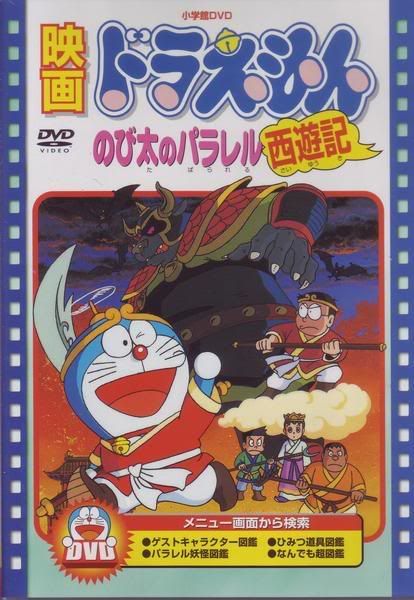
Doraemon the Record of Nobita’s Parallel Visit to the West (1988) (chinese hardsub)  credits to foxss29 + indo sub  credits to g3rryok
parallel
Doraemon the.Movie – Nobita and the Birth of Japan (1989) >> part1  | part2  | part3  credits to cataku + indo sub  credits to mogulemon english sub  by dorawan89
hapus rar-nya gabung pake HJSplit, tp harus donlot smoa part dolo, tutorial pake HJSplit ada disini >> http://www.indowebster.web.id/f17/faq-apa-ini-apa-itu-8901/
http://riskgirl.free.fr/quykamat.jpg
Doraemon Movie Animal Planet (1990)  credits to shinkan
animal
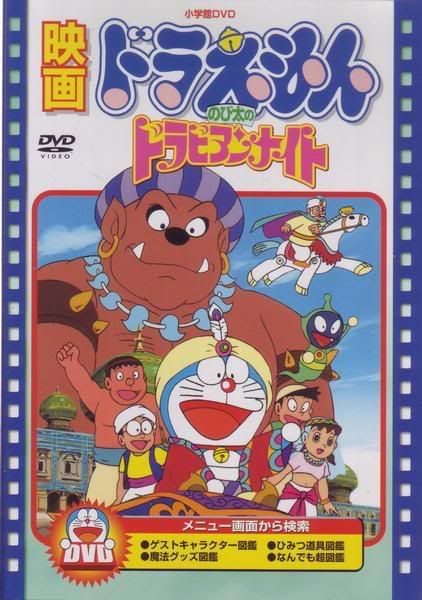
Doraemon the Movie – Nobita’s Dorabian Nights (1991)  credits to foxss29 + indo sub  credits to mogulemon
Dorabian
Doraemon – Nobita and the Kingdom of Clouds (1992)  credits to cataku + indo sub credits to Sofyan Law
kingdom of clouds
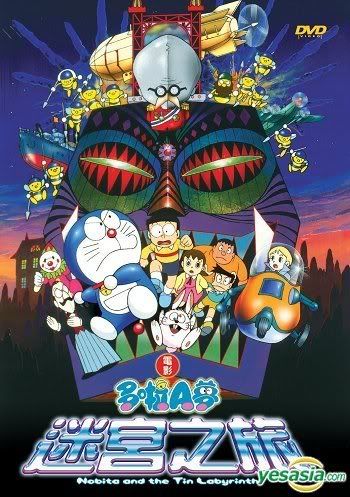
Doraemon The Movie – Nobita and the Tin Labyrinth (1993) [chinese hardsub]  credits to cataku
password if needed:
tin labyrinth
Doraemon the Movie – Nobita and Three Visionary Swordsmen (1994) [no sub] credits to foxss29
http://riskgirl.free.fr/3changhs.jpg
Doraemon the Movie – Nobita’s Diary on the Creation of the World (1995)[no sub]  credits to foxss29
Nobita's Diary on the Creation of the World
Doraemon – Nobita and the Galaxy Superexpress (1996)[chinese hardsub]  credits to cataku
galaxy
Doraemon.the.Movie.18.Nobita.and.the.Spiral.City (1997) credits to aomi + indo sub  credits to mogulemon
http://photos.gilaupload.com/images/563_1997_1.jpg[/URL]
Doraemon.Nobita.Great.Adventure.in.the.South Seas (1998) credits to aomi + indo sub  credits to mogulemon
or mirror (http://www.indowebster.com/DoraemonNobitaGreatAdventureintheSouthSeas1998jp_cn.html)

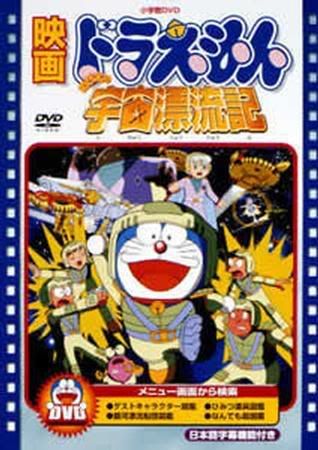
Doraemon the Movie – Nobita Drifts in the Universe (1999) [no sub]
>> part1  | part2  credits to foxss29

Doraemon the Movie – Nobita and the Legend of the Sun King (2000)  credits to mogulemon
http://riskgirl.free.fr/vua%20mat%20troi1.jpg
Doraemon the Movie – Nobita and the Winged Braves (2001) credits to mogulemon
http://riskgirl.free.fr/vuong%20quoc%20loai%20chim.jpg
Doraemon the Movie – Nobita in the Robot Kingdom (2002) credits to mogulemon

Doraemon Movie Nobita And The Wind Wizard (2003)  credits to shinkan
wind wizard
Nobita’s Wannyan Space-Time Odyssey (2004)[no sub] (http://www.indowebster.com/Nobitas_Wannyan_SpaceTime_Odyssey.html) credits to cataku | indo sub (http://www.indowebster.web.id/showthread.php?2019-S-H-A-R-E-D-Film-Doraemon-The-Movie&p=4261119&viewfull=1#post4261119) by beny_com82

Doraemon Movie Nobita’s Dinosaur (2006) >> part1  | part2 credits to shinkan | indo sub (http://www.indowebster.web.id/showthread.php?2019-S-H-A-R-E-D-Film-Doraemon-The-Movie&p=4260882&viewfull=1#post4260882) by beny_com82
Trailer >>
http://www.dora-movie.com/img/poster.jpg
Doraemon Movie Into The Magic Planet (2007) credits to Gundam007
Trailer >>
http://gotoknow.org/file/paknumpo/dora500.jpg
Doraemon The Movie 2008 – Nobita to Midori no Kyojin Den  credits to cataku + indo sub (http://www.indowebster.com/doraemon_the_movie_2008_sub_indo.html) >> great thanks to mogulemon
midori
mirror (hardsub english) (http://www.indowebster.com/DNATGGL_MV.html) by iamasep
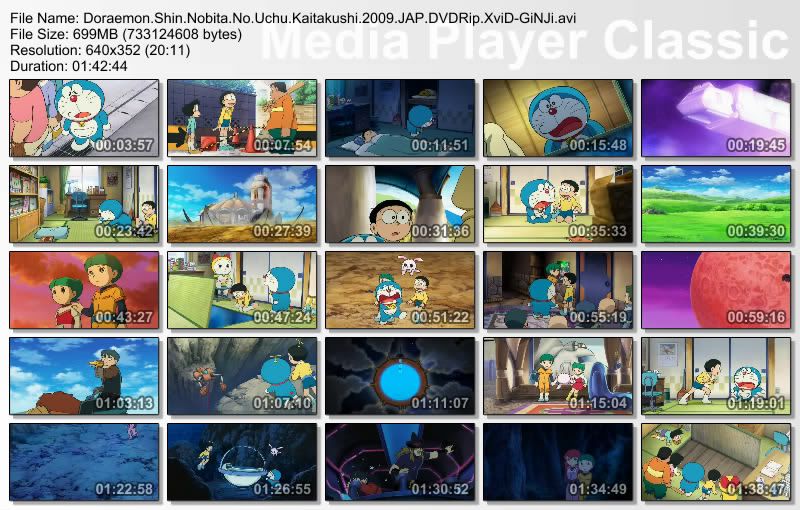
Doraemon The Movie 2009 – Shin Nobita no Uchu Kaitakushii (The New Record of Spaceblazer) >> Part 1  | Part 2  credits to cataku | english subtitle (http://www.indowebster.web.id/showpost.php?p=2007842&postcount=903) by Nagi | indo subtitle (http://www.indowebster.web.id/showpost.php?p=3043457&postcount=1109) by minamifansu
Doraemon.Shin.Nobita.No.Uchu.Kaitakushi.2009.JAP.DVDRip.XviD-GiNJi
Doraemon Movie 2010 – Nobita no Ningyo Daikaisen [english hardsub] part 1 | 2 | 3 | 4 | 5 | 6 | 7 | indo sub
Selamat mendownload….
readmore »»  
//SEO SCRIPT POWERED BY www.tutorialblogspot.com